

Whether it’s heavy rain, ice, snow, or heat, outdoor surveillance cameras are subject to extreme weather conditions that can cause components to fail or freeze.
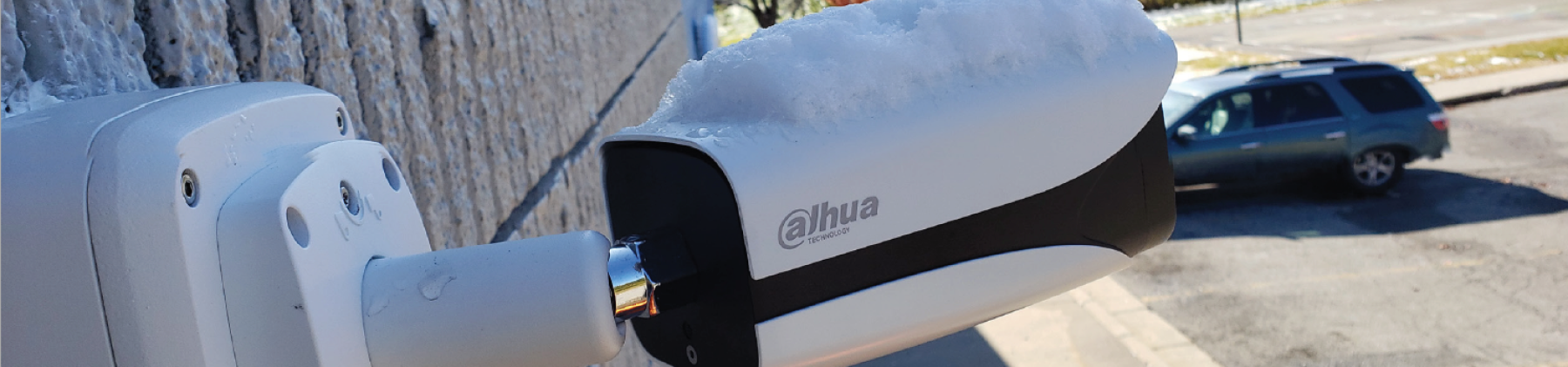
Keeping your cameras working in cold weather
Follow our top tips to keep your CCTV system up and running during the coldest months of the year.
1. Select a High IP Rating
If you have an IP system, check that you have the correct IP rating for the job. Different IP ratings are optimised for various conditions including immersion in water and exposure to dust.
Cameras in cold climates need a weather-rated enclosure of at least IP66 to withstand harsh weather like snow and sleet. In addition, these enclosures should be checked regularly to make sure the seals are still tight.
Humidity can cause condensation to accumulate inside the camera and turn to frost. Because of this, you should also take caution when moving a device from extreme cold to a fairly warm environment. If condensation is bad enough, it could short circuit internal components.
Your camera hardware should also reflect the conditions you expect, such as if it will experience wet conditions most of the time, you could benefit from a marine coating. The low winter sun could also cause visibility issues. Check that your cameras aren’t having problems with sun glare throughout the day. If so, the camera could be moved or tilted slightly to avoid this. The reduced hours of sunlight could also impede your cameras from recording the best possible images. Check your image quality and that site lighting is adequate.
2. Look for Temperature-Tolerant Cameras
Sometimes, double-checking the temperature rating when specifying a camera is all it takes to keep a video surveillance system up and running in cold environments. There are two main specs to understand: storage temperature and operating temperature.
Storage temperature is the temperature at which the equipment can be safely stored when it is powered off.
Operating temperature is the air temperature of the environment when the equipment is powered on. If a camera has been stored below the recommended operating temperature, you should let it warm up in a warm environment, with the power off, until it reaches the operating temperature.
3. Remember Other Components
Cameras are not the only concern; low temperatures can affect other electronics. Wind and snow can quickly degrade improperly specified cable and unprotected connectors outdoors.
Surveillance components like NVRs with hard drives and LCD monitors will usually be in temperature-controlled environments so there’s little worry. However, there’s risk if those devices have been stored overnight in a vehicle outdoors in below-freezing weather and then immediately installed and powered on. Hard drives can fail or sustain damage because their lubricants thicken. LCD screens contain liquid, which can freeze and damage pixels.
Check security components in exterior locations before the seasonal temperature drops.
Access Control
External Access Control Systems could encounter weather-related problems if snow or ice builds up on or around them. Ensure barrier systems are cleared of any snow or ice to prevent from causing any damage.
Should you also have an external keypad or security token system, check that all hardware has a sufficient IP rating to withstand the environmental conditions.
Perimeter monitoring
If you have Perimeter Monitoring, a drop in the temperature could cause the beam to extend. If it extends beyond the perimeter of your site, for example onto a road or other heavy traffic area, it could cause a lot of false alarms and an extra headache for you.
Prevention
The easiest way to protect your business against these potential threats is to prepare in advance.
- Perform checks on your security system prior to significant changes in the weather.
- Maintenance visits could minimise potential problems before they happen.